


Developers often juggle multiple tools, applications, and communication platforms daily. Specialized applications with tailored features for developers have emerged to streamline their productivity and enhance their efficiency.
One such application is Workspace Hub, a powerful tool that combines multiple apps into a single interface. Workspace Hub offers a range of features designed to cater specifically to the needs of developers, providing them with a unified workspace for managing their applications, collaborating with their teams, and staying focused on their coding tasks.
This article will explore the best Workspace Hub features for developers, examining how they can optimize their development workflow and simplify their daily operations.
How can Workspace Hub help to streamline a developer’s work?
Developers have unique requirements when it comes to their workflow and productivity tools. They often work with multiple accounts, collaborate with teams across different platforms, and require seamless integration with their preferred development tools. Generic applications may not provide the functionalities developers need to streamline their work and maximize efficiency.
Here’s how Workspace Hub can help streamline the work of a developer:
- Centralized communication: Workspace Hub brings together multiple communication and collaboration tools in one place. Instead of having separate applications or tabs open for email, messaging apps, project management tools, and team communication platforms, developers can manage all these accounts within Workspace Hub. This centralized approach saves time and eliminates switching between different applications.
- Organization and productivity: Workspace Hub allows developers to organize their communication channels and apps in a structured manner. This organization helps developers stay focused and reduces the clutter of multiple open tabs or windows.
- Notifications and efficiency: Workspace Hub provides information for new messages, mentions, or updates across all connected accounts. Developers can receive real-time notifications within Workspace Hub, eliminating the need to check individual apps or websites constantly.
- Simultaneous access to multiple accounts: Many developers work with various accounts across different platforms. Workspace Hub allows them to log in to numerous instances of the same app simultaneously. This is particularly useful for developers who work with different clients, have multiple email accounts, or manage different project management platforms.
- Cross-platform availability: Workspace Hub is available for various operating systems, including Windows, macOS, and Linux. Developers can use Workspace Hub on their preferred devices, ensuring a consistent experience across different platforms.
The best Workspace Hub features for developers
Workspace Hub is a workspace organizer that allows you to unify all the applications you want in one place. It is perfect for those who care about productivity while working with many business and personal applications. With Workspace Hub, you can easily access your messaging apps, email accounts, project management tools, and more from a single interface.
We offer a range of features that cater specifically to the needs of developers. Let’s explore the best features that make Workspace Hub an invaluable developer tool.
Apps library
With more than 700 compatible applications, you can centralize all your essential tools. This streamlines your workflow and facilitates the organization and effective communication with your team. You can access everything from one central location instead of jumping between different applications and tools. This saves time and reduces the risk of missing important messages or deadlines.
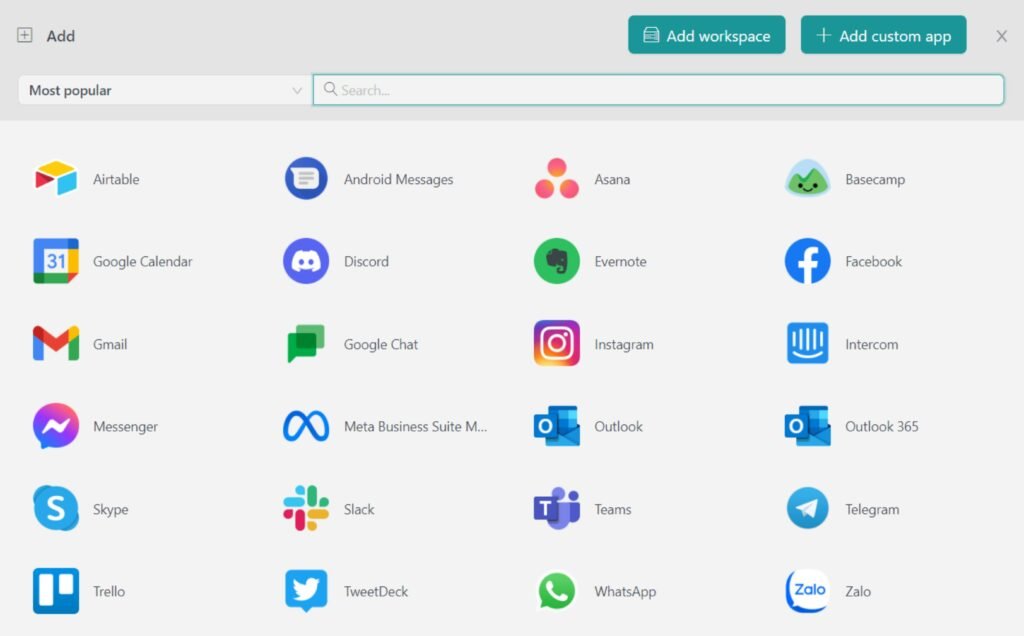
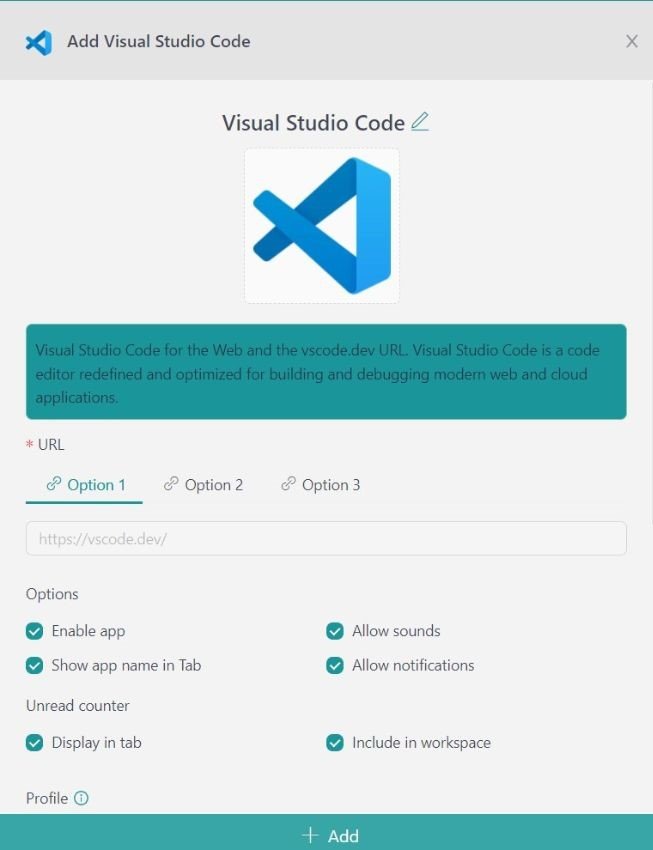
Adding the best developer apps to your Workspace Hub workspace is effortless. You can create a new workspace or add applications to an existing one by searching for the application name you need in the search bar, such as Visual Studio Code. Once you find the application, you can configure it according to your preferences, ensuring you have all the tools you need to stay on top of your tasks.
Workspace Hub workspaces
Workspaces are powerful tools designed to help you efficiently organize and manage all your applications in one place. With Workspace Hub, you can easily access all your applications without opening multiple windows or tabs in your browser.
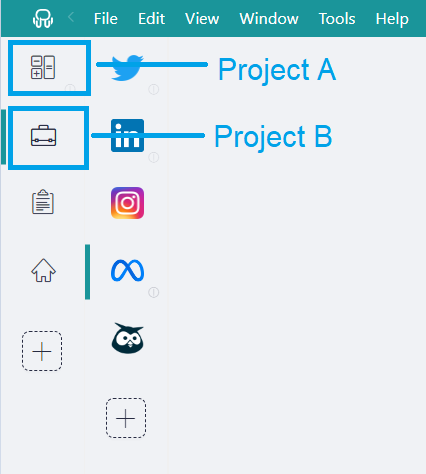
With Workspace Hub Workspaces, you can create as many workspaces as you need, allowing you to group your applications according to different categories, projects, or specific contexts. For example, you could have one workspace for Project A and another for Project B.
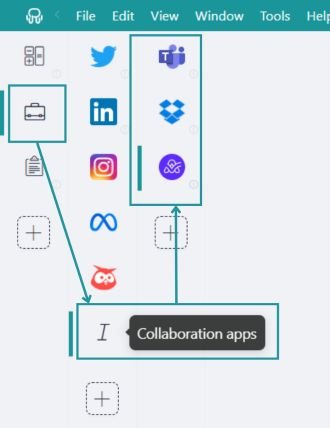
Creating workspaces within other workspaces is another powerful feature of Workspace Hub. This works like folders in your workspace, allowing you to organize your applications at deeper levels. For example, within your “work” workspace, you could create sub-workspaces for different projects and specific departments, or classify your applications by categories (time management applications, productivity applications, collaborative applications, etc.).
Session management and profiles
Developers work daily with many applications, for both development, and communication. In addition to having all these tools available from a single interface, Workspace Hub offers session and profile management to eliminate the need for constant logging in and out of different accounts.
With Workspace Hub, you can create multiple workspaces with different login credentials, allowing you to access various email addresses and apps within a single platform. For example, you can set up one workspace with all your applications for client A using the client’s credentials, and another for project B using the corresponding credentials.
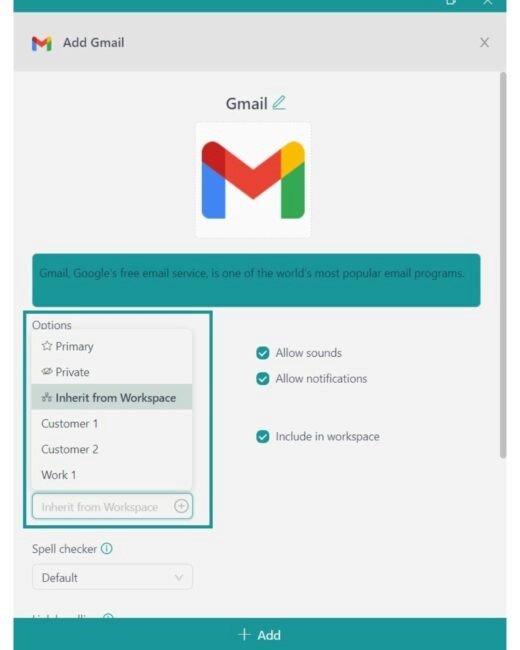
With Workspace Hub’s session-sharing feature, you can log in once and access multiple accounts from the same service. Workspace Hub provides three main profiles: “Primary,” the default profile; “Inherit from Workspace,” which applies only to nested items; and “Private,” which is an isolated session. You can add more profiles by clicking on the plus sign.
JavaScript & CSS injection
Workspace Hub allows you to change the behavior of an application by including code to add extra functionality, change a default action, etc.
Sometimes applications don’t work the way you expect them to. Maybe you want repetitive tasks to be done automatically, or you want to change their default behavior. With JavaScript injection, programmers can tweak all these details to improve their experience with any application.
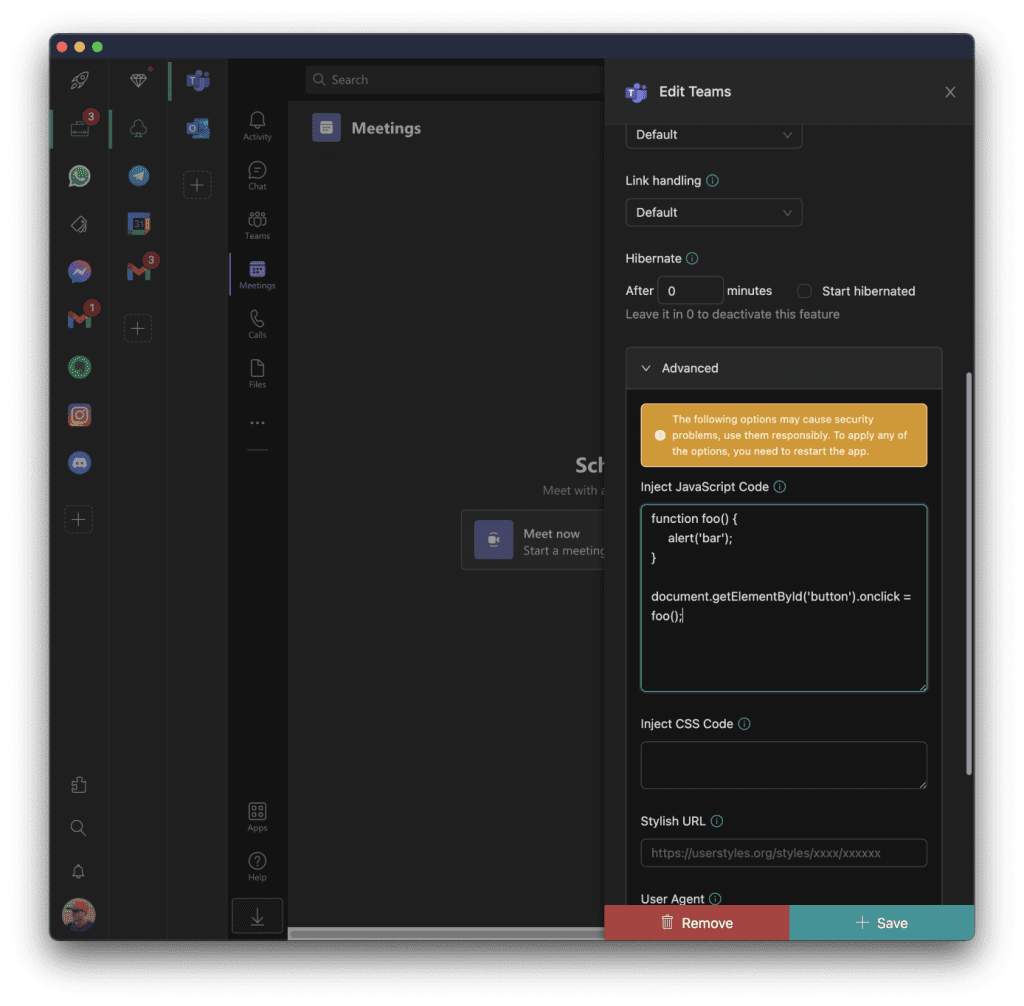
Also, while the Workspace Hub interface and view of applications can be customized to your liking, we often need to catch up on the default layout of all applications. In Workspace Hub, you can include themes for each application using a Stylish service. With this feature, you can manually change the look and feel of the layout and elements of any application, which will completely change the look of your application.
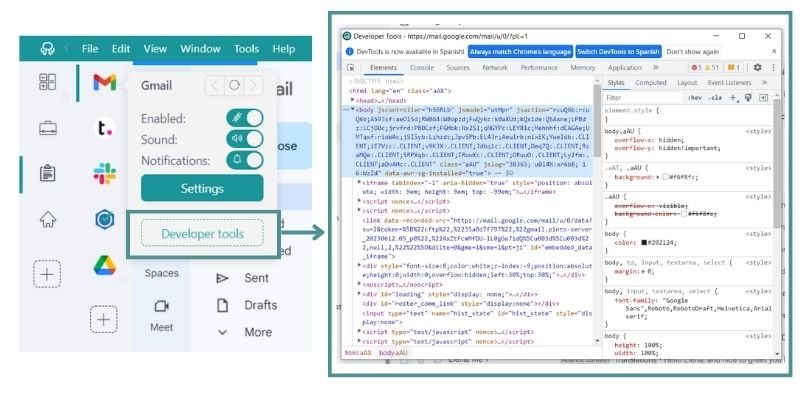
In addition to being able to inject code, Workspace Hub also gives you the option to open the “developer tools” where you can inspect your applications and monitor the code you have injected into the application to adjust it to your needs.
To access this functionality, just right-click on the icon of the application you want to monitor and click on “developer tools”.
Notification Center
Maintaining order and staying connected in a digital environment can be challenging, especially when dealing with multiple apps. Workspace Hub lets you control your notifications and customize them according to your preferences. You can receive desktop notifications and sound alerts or even turn off notifications for specific workspaces or applications.
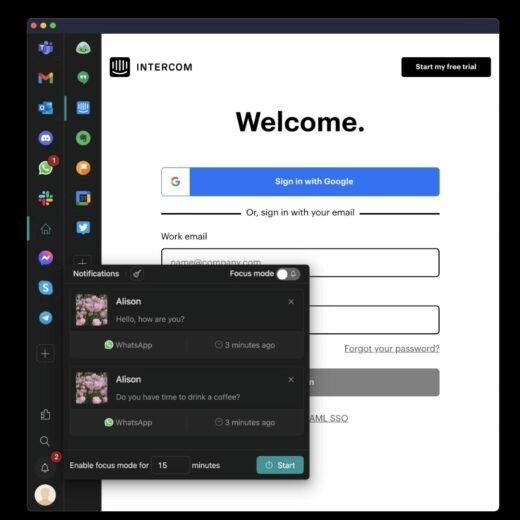
If you mute notifications, you won’t miss any critical information. Workspace Hub stores all notifications, allowing you to catch up on missed messages at a later time. Additionally, Workspace Hub visually highlights unread messages from each app, providing a quick overview of where your attention is most required. By utilizing these features, Workspace Hub helps you stay up-to-date while preventing unnecessary interruptions and distractions.
If you utilize, for example, bug-tracking tools and continuous integration systems, you can receive instant notifications about new bugs or errors in your projects, allowing you to act quickly and efficiently to resolve them.
Focus Mode
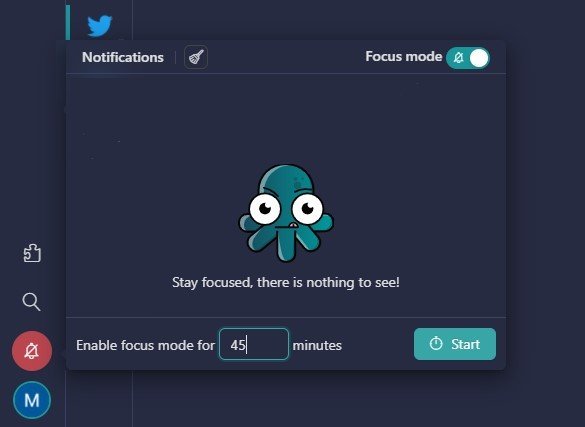
We know how important concentration is and how easy it is to lose it. The sound of apps or message notifications on the screen can cause us to lose concentration, and sometimes it’s hard to refocus. Workspace Hub Focus Mode is a valuable feature that can significantly benefit developers in improving focus and productivity, allowing them to minimize distractions and concentrate on their work.
With this mode, you can choose whether to turn off notifications indefinitely or set a manual time so that nothing disturbs you while you finish your task.
Keyboard shortcuts
Workspace Hub can also enhance your communication experience with its keyboard shortcuts.
These shortcuts enable you to access applications and their tools with ease quickly. With various key combinations, such as navigation shortcuts for switching between applications (e.g., “CTRL CTRL” for the last application) and function-specific combinations like Quick Search (ALT + SHIFT + K) and focus mode (ALT + SHIFT + D), Workspace Hub’s keyboard shortcuts can help you save time and improve your productivity when using messaging and communication applications.
Now that you know why Workspace Hub is the ultimate app with features for developers, the last tip we can give you is to enjoy keeping everything organized in one place.
If you are overwhelmed by the number of applications you have to work with, and need help optimizing your time and resources, try Workspace Hub for free. All you have to do is download the program, configure it to your liking, and enjoy its functionalities. No cards, no cheating, it’s that simple!