

Keeping up with emails and tasks can be a never-ending challenge, right? With so many apps and tools out there, figuring out which one actually works for you can get overwhelmingly fast. The best email and task management app isn’t just about staying organized—it’s about simplifying your day, saving time, and cutting out unnecessary stress.
If that sounds exactly what you need, meet Workspace Hub: your all-in-one solution for easily managing emails and tasks.
And if you’re also looking to automate your email marketing campaigns and increase engagement, check out Easymailing: a powerful platform designed to create and send professional email campaigns easily, helping you connect better with your audience.
Why Workspace Hub is the best app for email management
Managing your email shouldn’t feel like a full-time job. Workspace Hub makes it easier by centralizing all your email accounts and tools in one place. Whether juggling multiple clients, managing personal and work emails, or just trying to stay organized, Workspace Hub has the features to simplify your workflow and save time.
Manage all your email accounts in one place
One of Workspace Hub’s standout features is its support for over 700 predefined apps, including all the major email providers like Gmail, Outlook, and Apple Mail. Whether you’re managing multiple accounts or using different email services, Workspace Hub makes it easy to integrate everything.
Even better, Workspace Hub allows you to add multiple instances of the same app. With the Basic plan, you can add up to two instances per app, and with Pro, the possibilities are unlimited.
If you’re managing accounts across different providers, Workspace Hub is just as effective. Imagine having two Gmail accounts, one Outlook account, and one Apple Mail account—all accessible from a single interface.
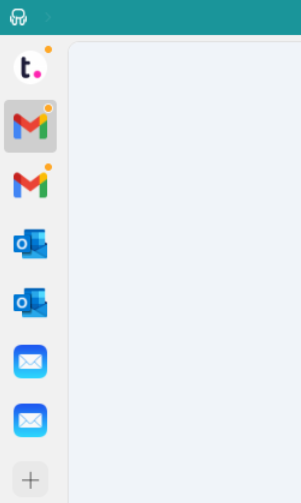
With Workspace Hub, you no longer have to hunt through tabs or manage multiple open windows. Everything you need is in one place, helping you stay organized and efficient.
Organize your workflow with Workspace Hub Workspaces
Workspace Hub Workspaces take email organization to the next level by letting you group your apps into virtual folders based on categories, clients, or any system that works for you. This feature is a game-changer for anyone juggling multiple email accounts or managing diverse projects.
For instance, you can create separate workspaces for each email provider—Gmail, Outlook, Apple Mail, or ProtonMail—keeping all your accounts neatly organized in one place.
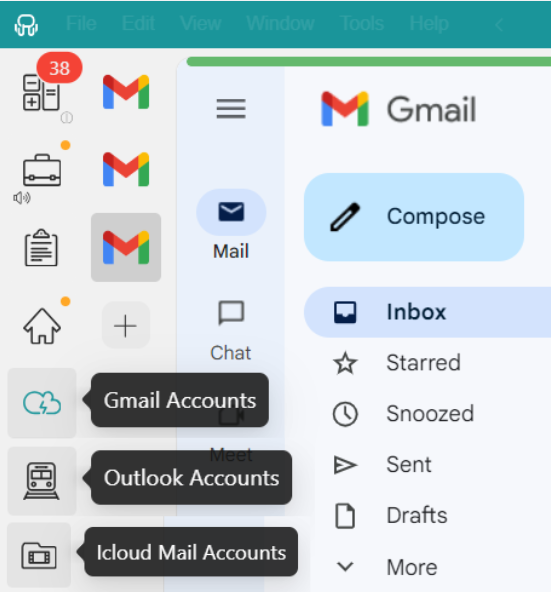
By categorizing your email accounts into dedicated workspaces, you avoid the chaos of endlessly scrolling through apps or losing track of what’s where. Everything stays neatly organized and easily accessible, helping you streamline your workflow and focus on what matters most.
Profiles to manage multiple email accounts
When managing several email accounts, remembering logins and switching between them can quickly become a hassle. Workspace Hub simplifies this with its Session Management feature, which uses Profiles to streamline the process.
Each profile acts as its own session, effortlessly organizing different email addresses and logins. You can choose from five profile types: Primary, Inherit from Workspace, Private, Incognito, and Custom.
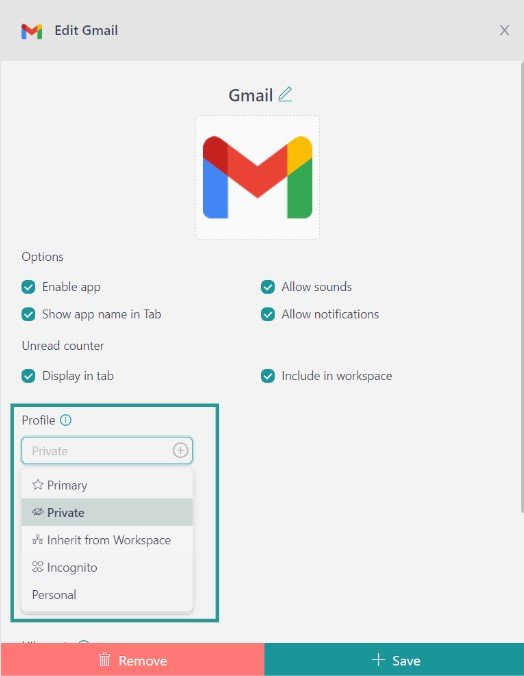
This means you can easily switch between personal and work accounts—or any other email accounts—without ever mixing them up. Workspace Hub’s Profiles save you time and keep your accounts neatly organized, so staying on top of your emails becomes second nature.
Complete control over notifications
Are you tired of being bombarded with email alerts? Workspace Hub puts you in control of how and when you receive notifications. It’s like having a personal assistant who knows exactly when you need updates and when you don’t.
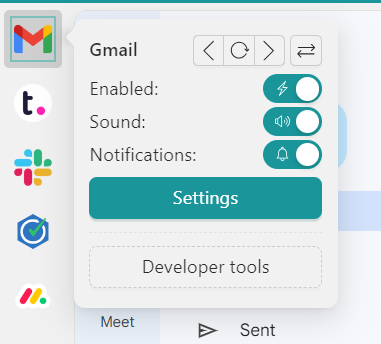
You can customize notification settings for each account to match your preferences. Want to focus during work hours? Just right-click on any account and choose to mute notifications, turn off alerts completely, or adjust them as needed.
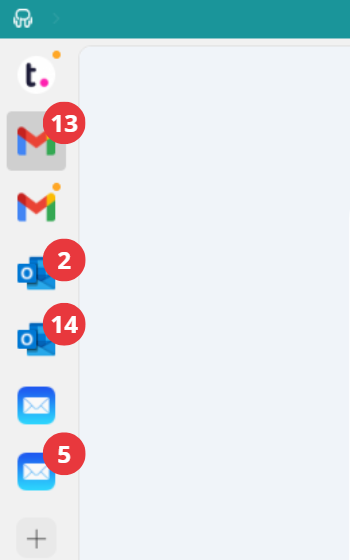
Additionally, Workspace Hub displays notification counters directly in the app, so you can see how many new emails are waiting for you at a glance. There are no interruptions, just a quick visual update whenever you need it.
Why Workspace Hub is the best app for task management
Just like with email, Workspace Hub lets you add all the task management apps you need in one place. Whether you prefer Todoist, Notion, Asana, ClickUp, or Trello… Workspace Hub has you covered.
What’s more, Workspace Hub keeps your to-do list just a click away. For example, after finishing a task in one app, you can instantly switch to your task manager to check it off and move on to the next. No more wasting time navigating between tabs—Workspace Hub streamlines your workflow and keeps everything within reach.
Stay on top of tasks with Tile views
Workspace Hub makes managing your tasks even easier with Tiles, a feature available in Workspaces that lets you organize your apps side by side.
Think about this: your email is open on one side of the screen, and your to-do list on the other. Instead of jumping between tabs, you can quickly drag tasks from an email to your task manager or check things off as you go.
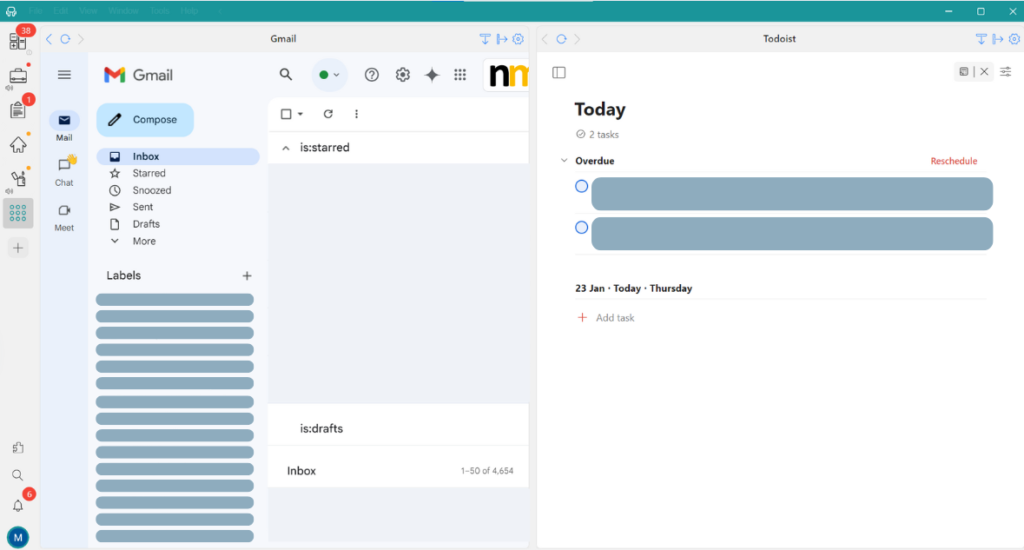
Whether you prefer splitting your screen horizontally or vertically, Tiles lets you see everything at a glance, keeping your workflow smooth and distraction-free.
Focus Mode: Stay productive without distractions
Sometimes, you must block out the noise and focus on the task. That’s where Workspace Hub’s Focus Mode comes in.
When you activate Focus Mode, Workspace Hub pauses all notifications, creating a distraction-free environment so you can fully concentrate on your work. Whether racing to meet a deadline or tackling a complex task, this feature helps you stay in the zone without interruptions from emails or other apps.
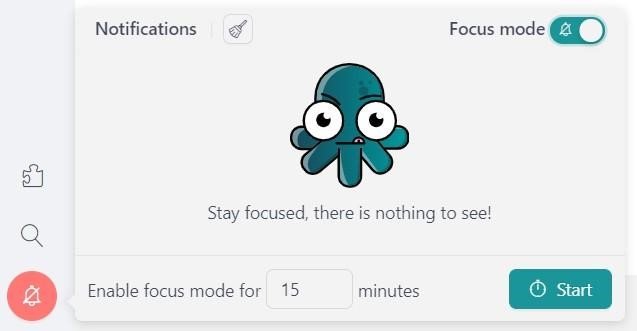
But don’t worry—you won’t miss anything important. While Focus Mode is on, all notifications are stored in the Notification Center, so you can catch up once you’re ready to take a break.
Having apps to manage your emails and tasks is great—they make your day-to-day easier. But having one app that brings all your tools together is even better. Like the “one ring to rule them all,” Workspace Hub is the best app for email and task management, keeping everything you need in one place for a seamless and productive workflow.
The best part? Adding your favorite apps to Workspace Hub is incredibly simple. In the next section, we’ll show you how to get started and organize everything in one place.
How to add your favorite apps to Workspace Hub
Getting started with Workspace Hub is incredibly simple. Whether it’s Gmail, Outlook, or your favorite task management app, Workspace Hub makes the process effortless. Just follow these four easy steps:
- Rambox download information for free.
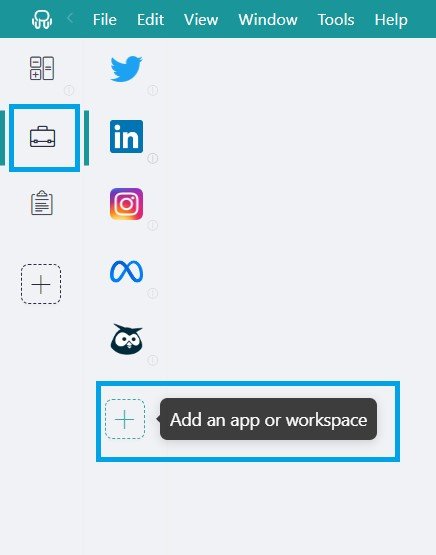
- Click the “+ Add an app or workspace” button on your main panel to add apps.
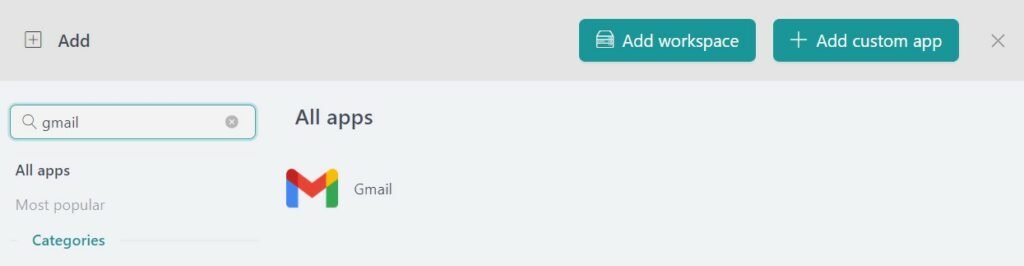
- Type the name of the app you want to add in the search panel on the left.
- You can customize the app settings to suit your needs. You can enable OS notifications, adjust app sounds, assign profiles, and make the experience your own.
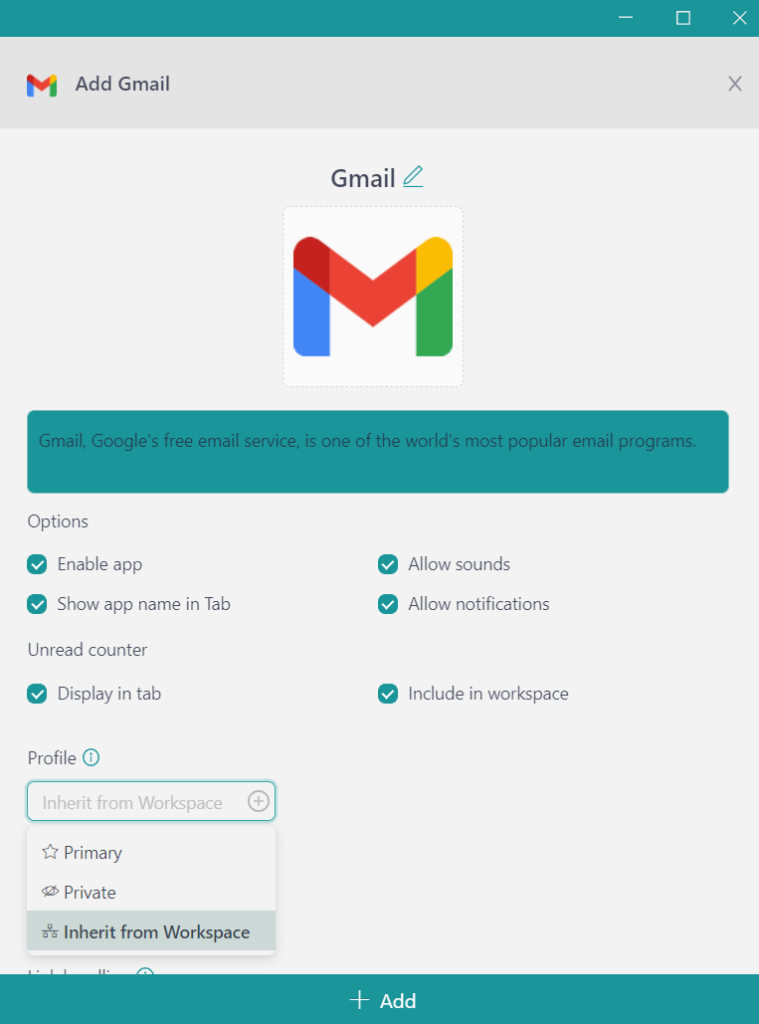
- Click “+Add” and that’s it!
With just a few clicks, you can start using Gmail—or any other app—right from Workspace Hub, and no browser is required. It’s this easy for all your favorite tools, whether for managing emails, tasks, or both, all in one powerful platform.